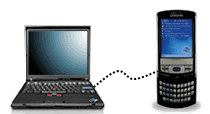
Question: "My cell phone lets me browse the web, so it seems I should be able to use that connection from my laptop. Is there a way to connect my laptop to the Internet using my cell phone?"
Answer: Yes, you can use your cell phone's internet connection to browse the web on your laptop, by connecting your cell phone to your laptop with a USB data cable and software that handles the connection(also known as "tethering").
What you need:
- A web-enabled cell phone with a data plan. If you can browse the web on your cell phone, then it's web-enabled, but you still need to have a data plan with your wireless service provider (e.g. AT&T) in order to use your cell phone as a tethered laptop modem.
- A USB data cable or a Bluetooth adapter. You'll use the USB data cable to connect/tether your cell phone to your computer, or the Bluetooth adapter to connect without any wires.
- Tethering software programs like DataConnect or Mobile PhoneTools Bluetooth that use your cell phone as a modem.
Tethering your cell phone to your laptop:
- Connect your web-enabled cell phone to your laptop
- Connect to the Internet using your cell phone as a modem.
If you're using a USB data cable, then you'll plug your phone into your laptop which will also charge your phone's battery while it's connected.

If your phone is Bluetooth-enabled - and most new phones are - then you can connect your phone without any wires by pairing it with your laptop.
For Motorola phones, open the phone and select the following menu options:
Menu --> Settings --> Connection --> Bluetooth Link --> Setup --> Power
Change the Power setting to "On". This will enable Bluetooth on your Motorola phone. (The center button on the top of the button pad is the Menu button
).
Next, select the following menu options to make your Bluetooth phone visible to your laptop:
Settings --> Connection --> BlueTooth Link --> Setup --> Find Me
Your laptop must also support Bluetooth, and once it discovers your Bluetooth phone, it will prompt you to enter a unique passcode of your choosing (I used 1234 for example). Your laptop will be paired with your cell phone... meaning they will be linked together and can start transmitting data files over a wireless Bluetooth connection.
You only need to pair your cell phone to your computer once. After that, your phone will be automatically recognized when your phone is within range (about 30 feet).
Check your user manual for instructions specific to your phone for enabling Bluetooth.
Once your phone is connected to your laptop with a USB data cable or Bluetooth, you'll need software to handle the Internet connection.
DataConnect works nicely with the USB data cable option. It will recognize your cell phone and use it as a dial-up modem to connect your laptop to the Internet. DataConnect works with Verizon, Sprint, AT&T, Cingular or Alltel wireless networks.
For Bluetooth users, check out the Mobile PhoneTools Bluetooth program from Avanquest. It will connect you to the Internet using a GSM, GPRS or UMTS connection and includes all major mobile phone operator connection parameters and automatically sets them up too.

Once connected, Mobile PhoneTools will let you perform the following online activities from your computer, using your cell phone for the Internet connectivity:
* Surf on the Web & manage your emails via your cell phone
* Send SMS and MMS messages conveniently from your laptop. Use contact groups, priority and return receipt just as you would with normal email.
* Send faxes using your cell phone as a modem - use predefined cover pages, and recipient groups
* Manage SMS text messages, emails and fax all in a single interface
* Send multimedia messages (MMS) with images, sound and text
What to expect for connection speed:
Using your cell phone as a tethered modem will be slower than using a Wi-Fi hot spot or broadband connection because most phones operate on a slower network. If you only need the Internet connection to send/receive email and do some light surfing, then the connection speed will be fine.
If you plan on sending or downloading large email attachments or files, then a tethered cell phone connection will probably be too slow - unless you have a 3G phone, which provides broadband-level connection speeds (and several of the newest phones are now 3G-enabled).
Here's some useful information that I found on the DataConnect web site:
Sprint & Verizon networks:
Sprint and Verizon users connect to the Internet via a CDMA network that supports 2 different types of phones 2G and 3G.
Sprint phones:
* If you own a 2G Sprint phone you will need to subscribe to a data plan to be able to dial up to the Internet. In this case the data transfer speed is limited to 14.4Kbps
* If you own 3G phone you will need to subscribe to the "Vision" data plan that will allow you to benefit from a connection speed ranging anywhere from 50Kbps to 110Kbps
Verizon phones:
* If you own a 2G phone, Verizon currently does not require a subscription to a data plan to access the Internet. However, the time you spend on the Internet will be charged against the voice plan you have signed up for.
* If you own a 3G phone you will need to subscribe for the "NationalAccess" plan that will give you high connection speeds ranging from 40Kbps- 60Kbps up to 144Kbps
T-Mobile, AT&T, Cingular and Other GSM Networks:
The GSM networks provide an average Internet connection speed of 40Kbps but it can go up to 115Kbps, as long as the wireless providers have already upgraded their infrastructure to GPRS. Please check the data plans and connection speed with your carrier before purchasing Data Connect or any other data connectivity kit.
Note: Information on data plans and carrier networks and connection speeds are subject to change. Please check with your wireless provider to inquire about the current status of connection speeds and data plans.
Happy web surfing with your tethered cell phone modem.
Please submit it to one of these popular bookmarking sites:
- Email this page
- 32221 reads
Delicious
Digg
StumbleUpon
Propeller
Facebook
Google
Yahoo
francis (not verified) Says: Thu, 2009-02-12 05:54
i realy want to know how i can connect my desktop computer to the internet using my motorola cell phone.
linda (not verified) Says: Mon, 2009-05-11 15:19
i have a cell phone,a cheaper model, threw AA&t. we are moving to a place without internet or one I can afford. could someone PLEASE explain this card thing to me and can i use it on my home computer. we have windows xp if that makes any difference. i an not up on all this tech stuff but i cant imigine life without my internet. thanks linda
Jon (not verified) Says: Thu, 2010-08-12 05:14
This article was great. I am going to give it a try. I am a Realtor and am sick of the constant charges that constantly come my way to run a business. This will make one less. Thanks
Post new comment