I’ve heard of companies finding data that people thought they had deleted from their work computer. How do they do that? Might be good information in case I accidentally delete some important files from my home computer too!
Question: I’ve heard of companies finding data that people thought they had deleted from their work computer. How do they do that? Might be good information in case I accidentally delete some important files from my home computer too!
Answer: Yes, there are several ways to retrieve data that has been deleted from a computer system, even if you’ve deleted them from the recycle bin or reformatted your hard drive.
I accidentally deleted a year’s worth of family photos and financial documents on my wife’s laptop, after using the factory restore CD that reinstalled Windows and removed her user folder where all the pictures were stored. Even after that mistake, I was still able to recover all of the files.
Why files can usually be recovered

When you delete a file, Windows only marks the file as deleted, but doesn’t actually remove it from your system.
Those files are only truly deleted (well, replaced actually) when other data is saved to the same location on your hard drive.
If you accidentally delete files from your system, they can usually be undeleted – even if you deleted them from your recycle bin – as long as you attempt to recover the files shortly after you delete them, and before Windows saves other data in those same file locations on your hard drive.
How to recover files that have been deleted:
If you’ve accidentally deleted an important file or erased a folder containing files that you later realize you still need, chances are good that they’re still on your system and can be recovered.
The key is to use a good undelete program like iRecover that can find files that have been deleted – even if you’ve emptied your Recycle Bin.
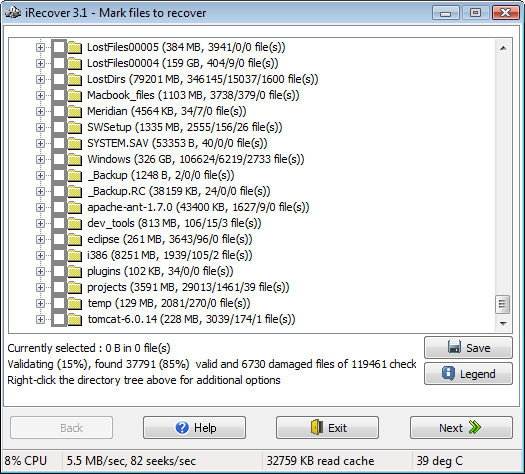
Here’s a screenshot of iRecover that shows all of the files and folders it was able to recover on my system, and this was after I had completely cleared out my Recycle Bin:
I’ve tried a few different programs that claim to be able to do this, but have discovered that some of them are only able to show you what’s still in your Recycle Bin (not much help if you’ve emptied your Recycle Bin).
iRecover will also help you recover data that was lost because of file system corruption, formatting, virus damage, partition deletion, or even just plain user error.
Here’s a link to download iRecover. It will tell you what it can recover for free, so you’ll know if it’s worth paying for the licensed version.
Use this coupon code to get $10 off your order: RICK-RYBA-SAYS
An ounce of prevention
 It’s also a great idea to frequently backup your hard drive, so that you can still restore important files, even if they can’t be recovered using a file recovery program.
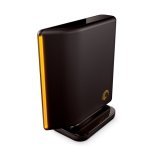
I bought a Seagate FreeAgent 320 GB USB External Hard Drive
This new drive plugs in via USB cable and doesn’t require any installation or configuration. Windows automatically recognizes it when you plug in the USB cable, and it has plenty of space for backing up both of my home computers.
I also highly recommend that you backup your hard drive on at least a monthly basis, although weekly is even better.
If you’re looking for a good backup program for your home computer, I recommend Genie Backup Manager which I use for my home systems. I consider myself fortunate to have been able to retrieve our family photos and financial documents… and my wife is finally willing to speak to me again.
However, I’m hoping to avoid this whole scenario in the future by making regular backups to this new backup drive (at least weekly).
I just recently CUT pictures
I just recently CUT pictures from my laptop to my usb drive but lost my usb drive is there any chance those pics are still on my laptop???? Please say yes!!! :””'(
I accedentaly removed all
I accedentaly removed all system files from my phone, when it was pluged in it asked me to format it and i accedentaly clicked yes can it recover that?
I recently bought an external
I recently bought an external hard drive so that I can delete another user from my computer. I backed up the whole computer. My question is, when I delete that user, and then later perform another backup, will that user be deleted or overwritten from the EHD as well?
I am using windows 8.1 pro
I am using windows 8.1 pro accidently i have deleted my files of around 30gb,how i can regain it.
hi ricky,
hi ricky,
while installing os on my sony waio laptop i deleted all the partitions. after that installation stopped, so i restart the laptop. after restart it is displaying that no BOOTMGR press ALT+CTRL+DEL to restart. i tried to run the OS it is showing “No drives found” in partition tab. is my HD gone . how can i install OS on my pc. Help me plzzzz