I have been trying to make DVDs from my home videos. I can load the movies onto my computer using windows movie maker, but I cannot get the movie to burn to a DVD that will play in regular DVD players.
Question: I have a Sony DCR-TRV-320 camcorder. I have been trying to make DVDs from my videos. I can load the movies onto my computer using windows movie maker. I am learning how to edit the movies and add music. But I cannot get the movie to burn to a DVD that will play in anything but a computer. Do I need some other kind of program to be able to make this happen? If so can you please tell me a good one to buy and hopefully be easy to use. I don’t have alot of computer knowledge. Thank You for any help you can give me!
Answer: If you have Windows Movie Maker, then you can use that directly. Otherwise, you’ll need a DVD Creator program like the one from Aimersoft.
Making DVD Movies with Windows Movie Maker
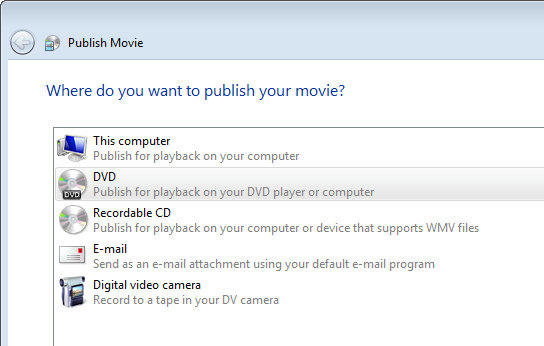
Open your video file(s) in Windows Movie Maker and click the File >> Publish Movie menu.
Select the option for “DVD – Publish for playback on your DVD player or computer”. You’ll be prompted to save your project and open Windows DVD Maker.
In Windows DVD Maker (again, Vista only) you can choose the DVD menu style and can edit the menu text to your liking.
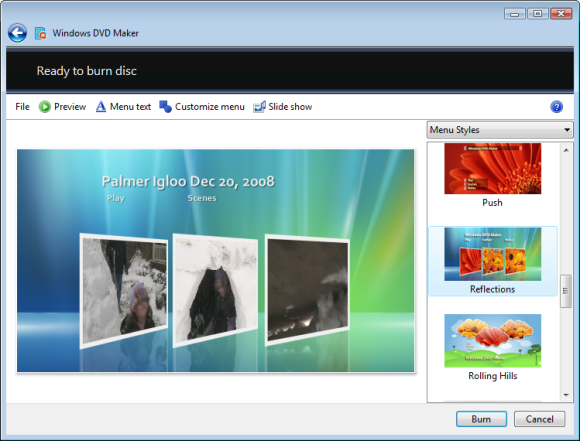
Click the Burn button on the lower right side of the screen, and it will ask you to insert a writable DVD, and will burn your movie to the DVD. Once it’s finished burning the DVD, you’ll be able to plug it into your DVD player and watch the movie on your TV.
What if I don’t have Windows Movie Maker, or have a Mac?
If you don’t have Windows Vista, then you can use Aimersoft’s DVD Creator, also available for Macintosh computers. Aimersoft DVD Creator will convert video to DVD and will burn DVD movies that can be played on home DVD players and portable DVD viewers.
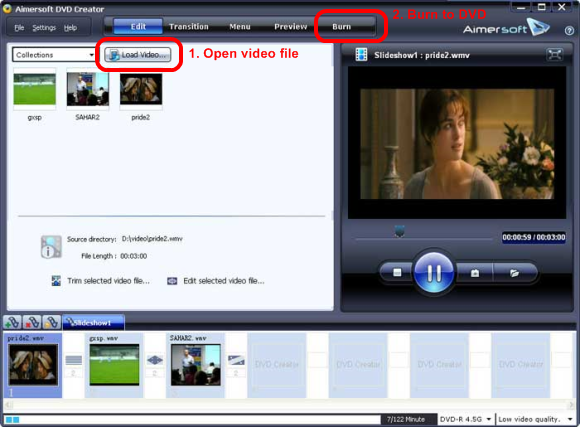
You’ll first click “Load Videos” to select the video file(s), and then you’ll click “Burn” to create the DVD movie.
You can also create your own DVD movies by choosing from several default movie/menu templates, or can add in your own background images and make a movie slideshow from photos you’ve taken on your digital camera.
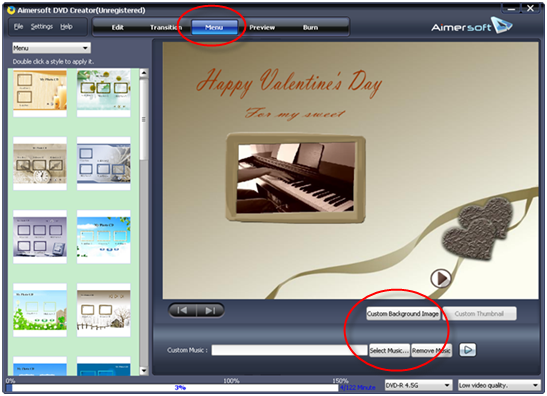
It will also let you combine your video files into slideshows with beautiful transition effects and a customizable menu. You can crop, trim and adjust numerous video effects/transitions.
Aimersoft DVD Creator has a lot more features than the DVD Maker built into Windows Vista, so it’s worth taking a look at even if you have Windows Movie Maker.
Aimersoft DVD Creator helps you convert all popular video formats (AVI, MP4, MPG, MPEG, 3GP, WMV, ASF, RM, RMVB, DAT, MOV, FLV, etc) to DVD. You can combine your video files into video slideshows with beautiful transition effects and a customizable menu; you can also crop,trim you movie and adjust it’s effect, specify NTSC or PAL, adjust 4:3 or 16:9 video aspects and select burning DVD movie disc or DVD folder or ISO files.
When I use Windows DVD
When I use Windows DVD Maker, it makes the movie smaller than the video. A black area appears on all sides of the movie, not just like letterbox format. Is there a setting that will fix this?
Check the movie options,
Check the movie options, which is a link on the bottom right of the main window in Windows DVD maker (right above the “Next” and “Cancel” buttons).
I changed the DVD aspect ratio to 16:9 as shown below (default was 4:3), and that made it look like a regular wide-screen movie.
Here’s what it looks like on our TV:
Hope that helps.
Nice tutorial. I also use
Nice tutorial. I also use Wondershare Movie Story to burn photos and videos matched with songs to DVD.
I have a mini laptop
I have a mini laptop (windows 7) that have no cd drive build into it, expect my boyfriend’s computer; which is a windows xp. I have to know if I am able to burn videos recorded into my build-in laptop cam and/or digital cam using windows movie maker. If so, I like to record my art shows that I am starting to do on youtube.